For developers
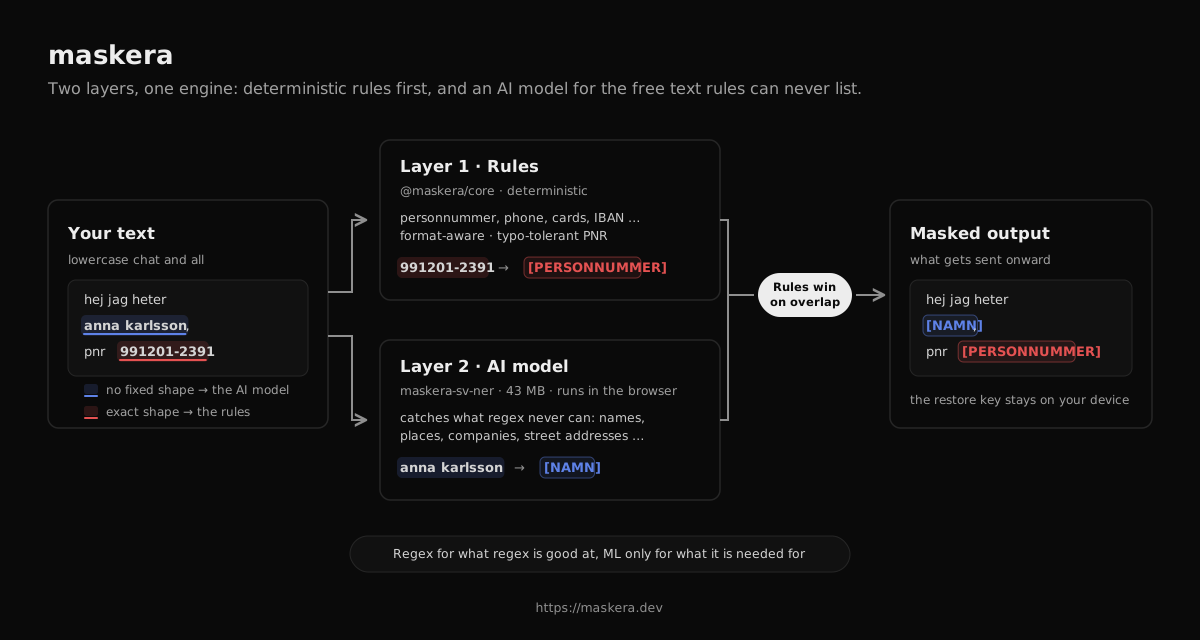
Install maskera, create a recogniser once and mask text locally in the browser or Node. The Swedish AI model is downloaded on first use and then reused from the local cache.
Install
npm install maskera @huggingface/transformersRules and AI model are included; import the entire API from maskera.
Mask text
import { createNerRecognizer, redactWithNer, type NerRecognizer } from "maskera"// maskera's Swedish model, about 43 MB, runs locallyconst recognizer: NerRecognizer = createNerRecognizer()const { text, restore } = await redactWithNer( "hej jag heter anna karlsson, personnummer 19900101-2385, och bor i uppsala", { recognizer },)text// "hej jag heter [NAMN_1], personnummer [PERSONNUMMER_1], och bor i [PLATS_1]"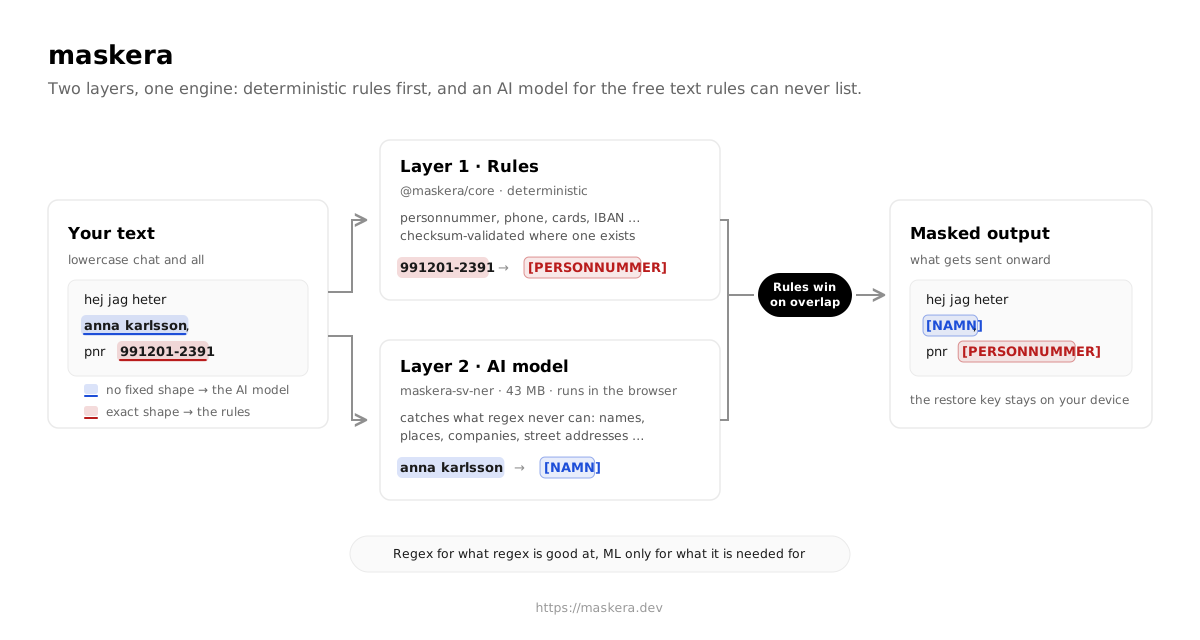
Send to the AI service and restore the response
// send the masked text to any AI service// detected personal data has been replaced with placeholdersconst answer: string = await fetch("https://api.example.com/chat", { method: "POST", body: JSON.stringify({ prompt: text }),}).then((r) => r.text())restore(answer)// placeholders are replaced with the originals, locallyOptional profile for clinical text
The default mode suits mixed text. For medical records and clinical workflows, a named profile protects clinical facts while rule-based personal data is still always masked. Read more about the clinical profile on GitHub
const { text, restore } = await redactWithNer(journalText, { recognizer, profile: "clinical",})